Payment Routing
testandgo kiosks were installed during COVID when all products were free, so no payment hardware existed across 350+ deployed units. This project designed a kiosk-to-mobile payment flow using dynamically-generated QR codes, enabling paid product sales across the entire fleet with zero hardware changes.
The Challenge
How can we accept card payment at the kiosk without installing new hardware?
Pay on phone, not kiosk. 350+ deployed kiosks had no payment hardware and couldn't be retrofitted. Users needed to start a transaction on the kiosk screen and complete payment on their own phone, without confusion, manual URL entry, or abandonment at the handoff point.
The Strategy
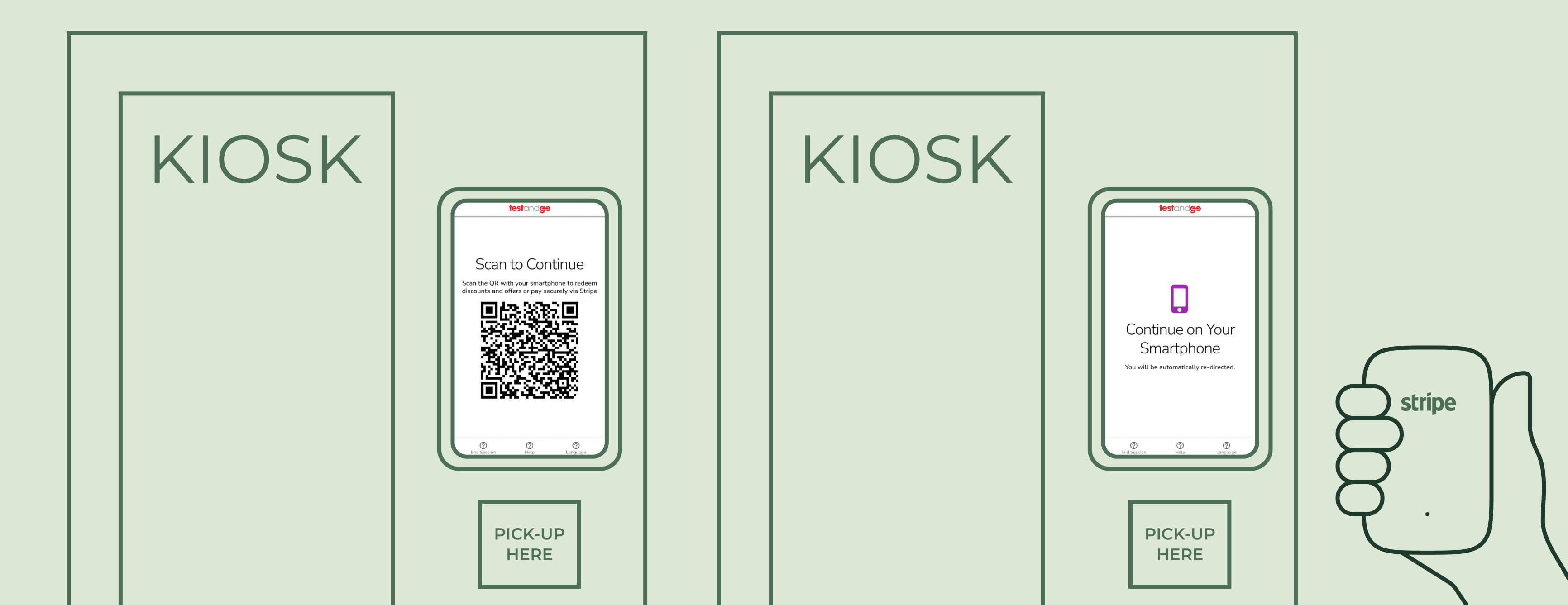
A QR Code guides customers to pay via Stripe on their smartphones.
QR code as the routing bridge. A dynamically-generated QR code at checkout linked users directly to a pre-filled Stripe payment page on their phone, with no manual entry required. The kiosk and phone stayed in sync throughout the session so that when Stripe confirmed payment, the kiosk responded immediately.
The Solution
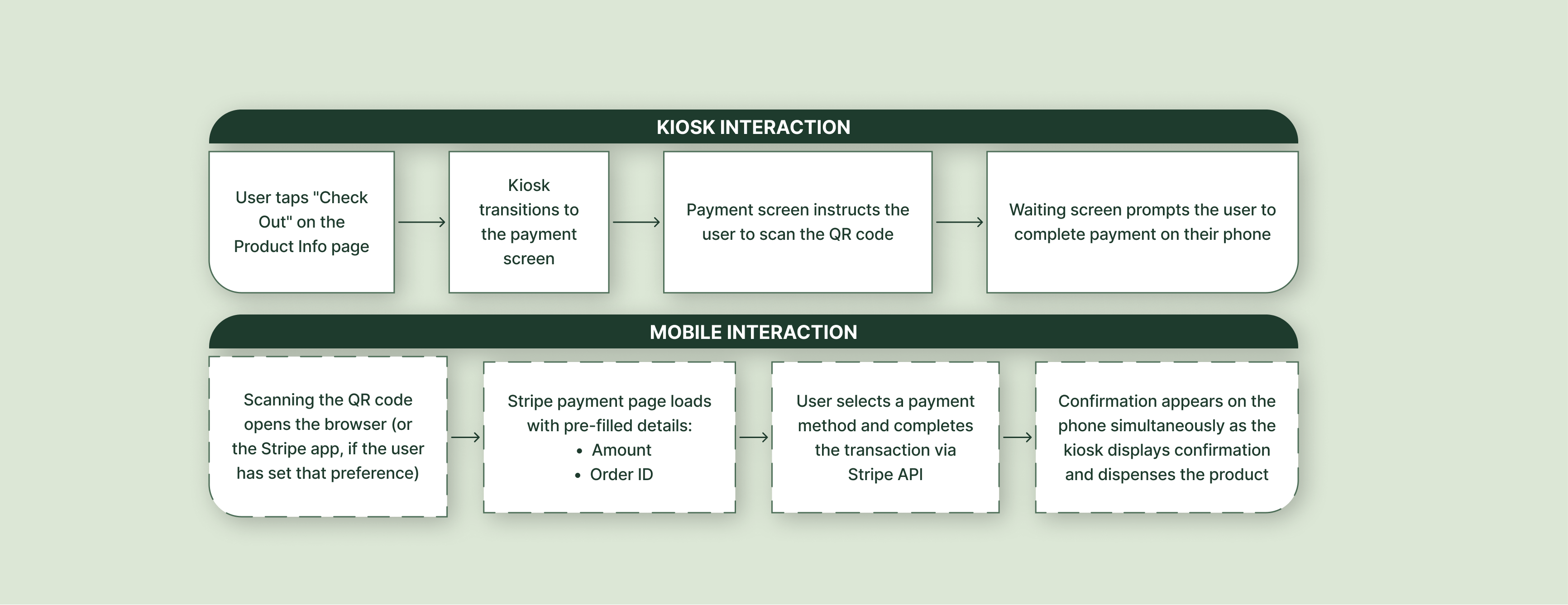
Users can easily pay via their smartphone and the Stripe API triggers a quick dispense.
Scan, pay, dispense in sequence. Users select checkout on the kiosk and are shown a unique QR code tied to their order. Scanning opens a Stripe page pre-filled with their item, amount, and order ID. After payment completes on the phone, both devices confirm simultaneously: the phone shows a confirmation screen and the kiosk initiates the dispense flow.