Limited Dispense & Redeemable Discounts
Designed a cross-device eligibility verification flow for free and limited-quantity products dispensed through testandgo kiosks. The flow begins at the kiosk and hands off to the user's smartphone for phone number entry and OTP authentication, then routes back to the kiosk to dispense the product.
The Problem
Kiosks were being depleted by individual users
Kiosks stocked with free products like Naloxone were being depleted rapidly by individual users taking multiple units in a single session. Institutional clients, particularly universities, needed a way to enforce per-user limits (e.g., one unit per month) without requiring staff intervention or adding friction for eligible users.
Why the Phone?
The kiosk alone could not solve this
A phone number was already required to send the OTP, making it the natural identifier for tracking redemption history. Entering a phone number is significantly easier on a personal smartphone than on a kiosk touchscreen, which reduced errors and drop-off. Moving the input to the user's own device also felt more private and secure.
The Flow
Step 1: Kiosk: Eligibility Prompt
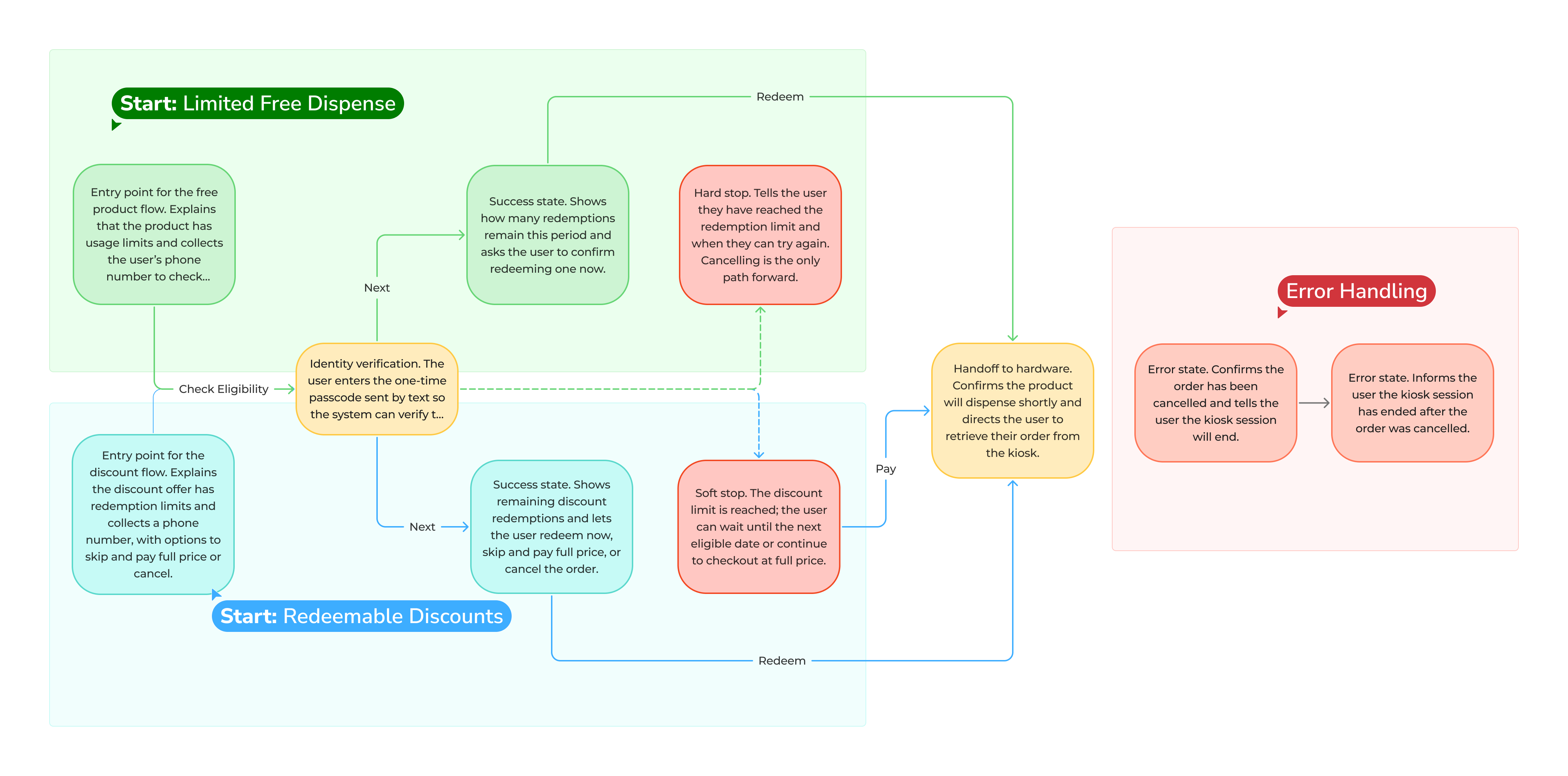
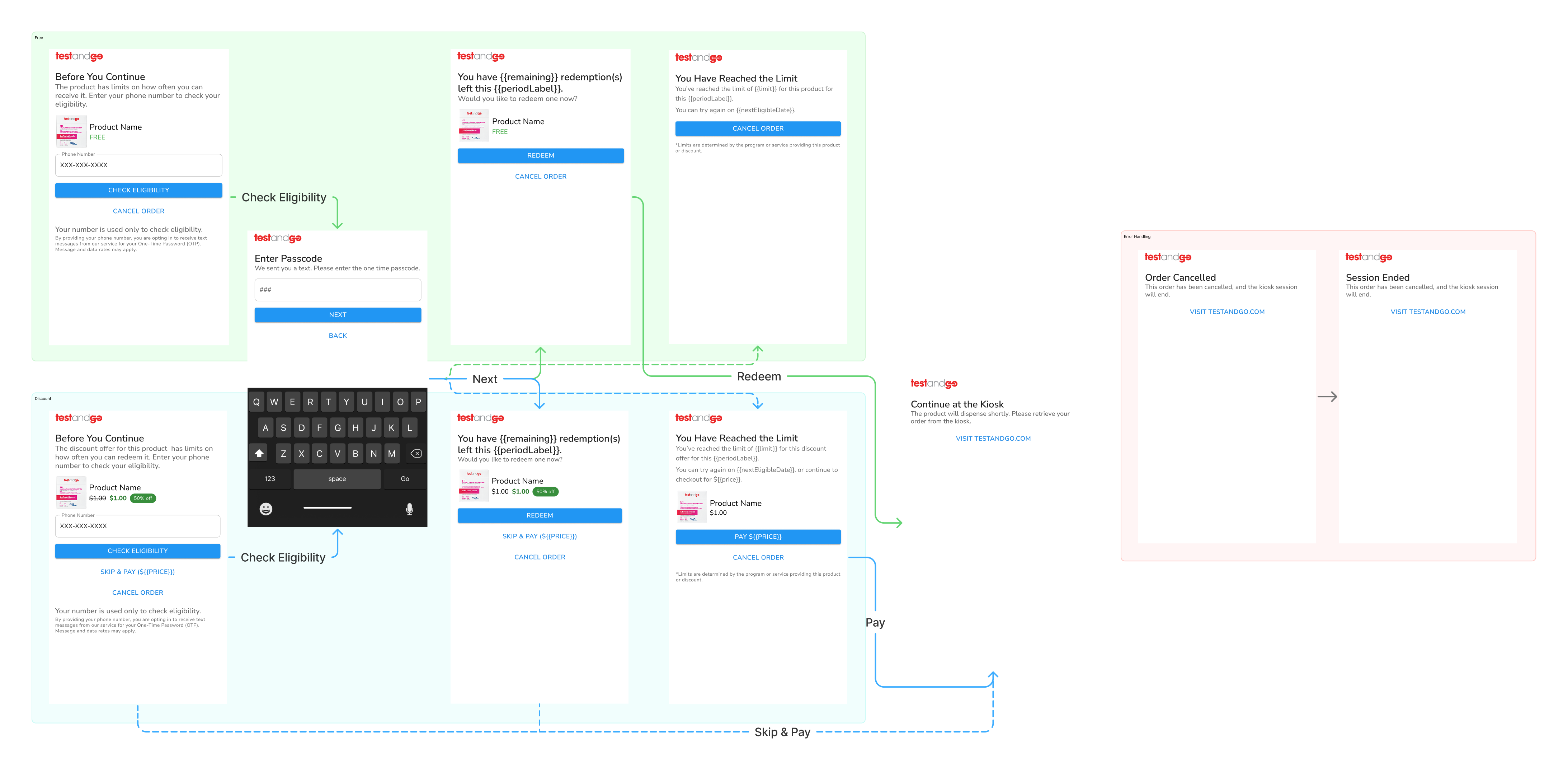
When a user selects a limited or free product at checkout, the kiosk surfaces an eligibility check screen showing the product, the limit ("One free product every 30 days"), and two choices: check eligibility or continue to checkout without the offer.
Step 2: Smartphone: Enter Phone Number
The user opens a URL on their phone and enters their phone number to receive an OTP. Consent language explains the number will be used for the one-time password and to verify remaining redemptions. The keyboard surfaces automatically on mobile.
Step 3: Smartphone: Enter Passcode
The user enters the OTP sent via SMS. This authenticates the session and triggers a redemption check.
Step 4: Smartphone: Eligibility Result
Eligible: the user sees how many redemptions they have remaining and confirms with a Redeem action. Limit reached: the user sees they have hit their limit with the date they can redeem again and the order is cancelled.
Step 5: Kiosk: Dispense or End Session
Once the user redeems on their phone, the kiosk receives confirmation and begins dispensing. The phone confirms: "Continue at the Kiosk -- The product will dispense shortly." If the session expires or the order is cancelled, the kiosk returns to its home screen.
Iteration 1 vs. 2
Removed the separate phone number screen by embedding phone input directly in the entry screen.
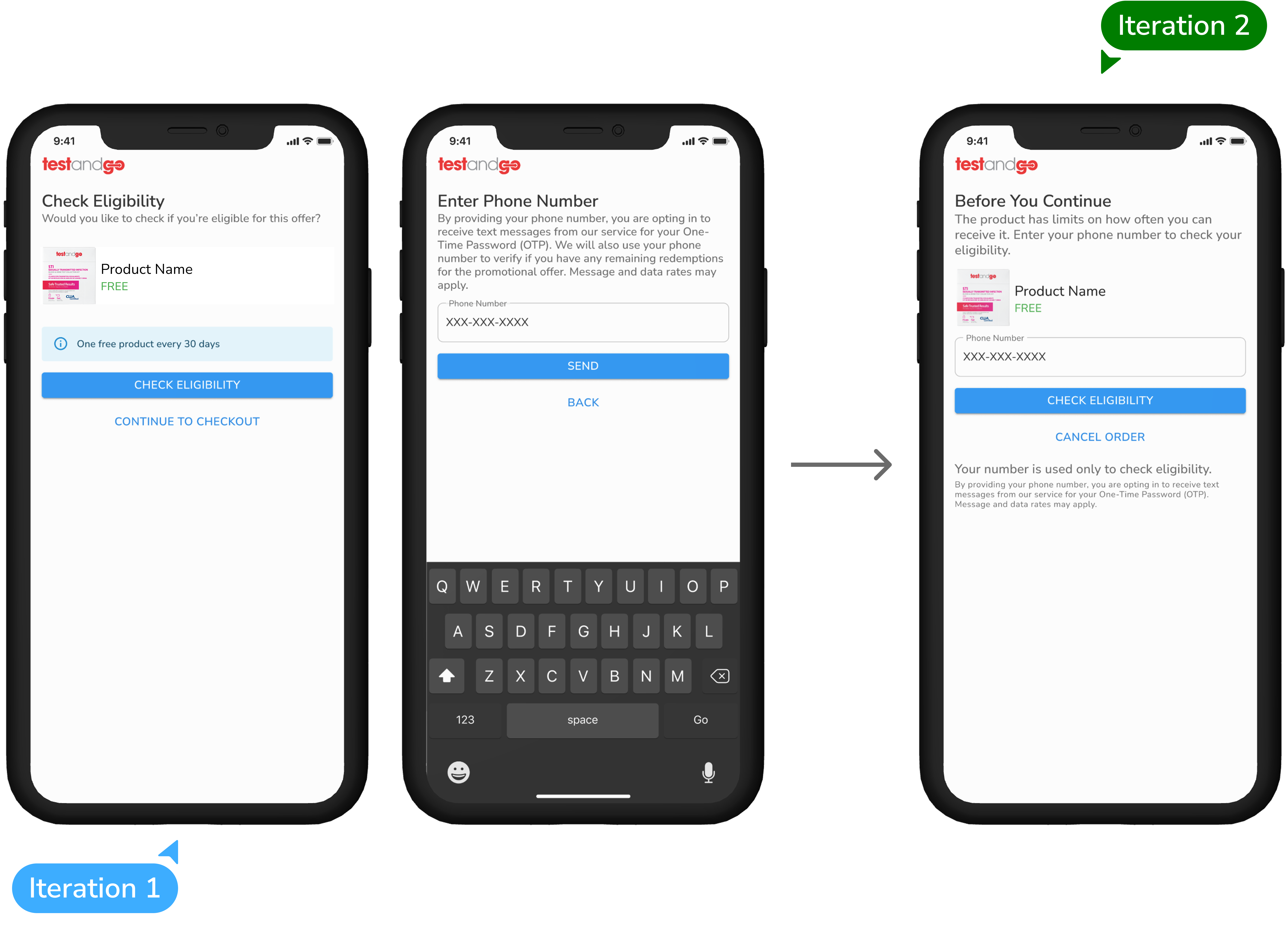
Iteration 1 - "Check Eligibility"
The initial design used a two-step entry: a kiosk screen asking "Would you like to check if you're eligible for this offer?" led to a separate smartphone screen for phone number entry. The product was shown with its standard price, and the eligibility offer surfaced as a secondary badge. The primary CTA was CHECK ELIGIBILITY.
Iteration 2 - "Before You Continue"
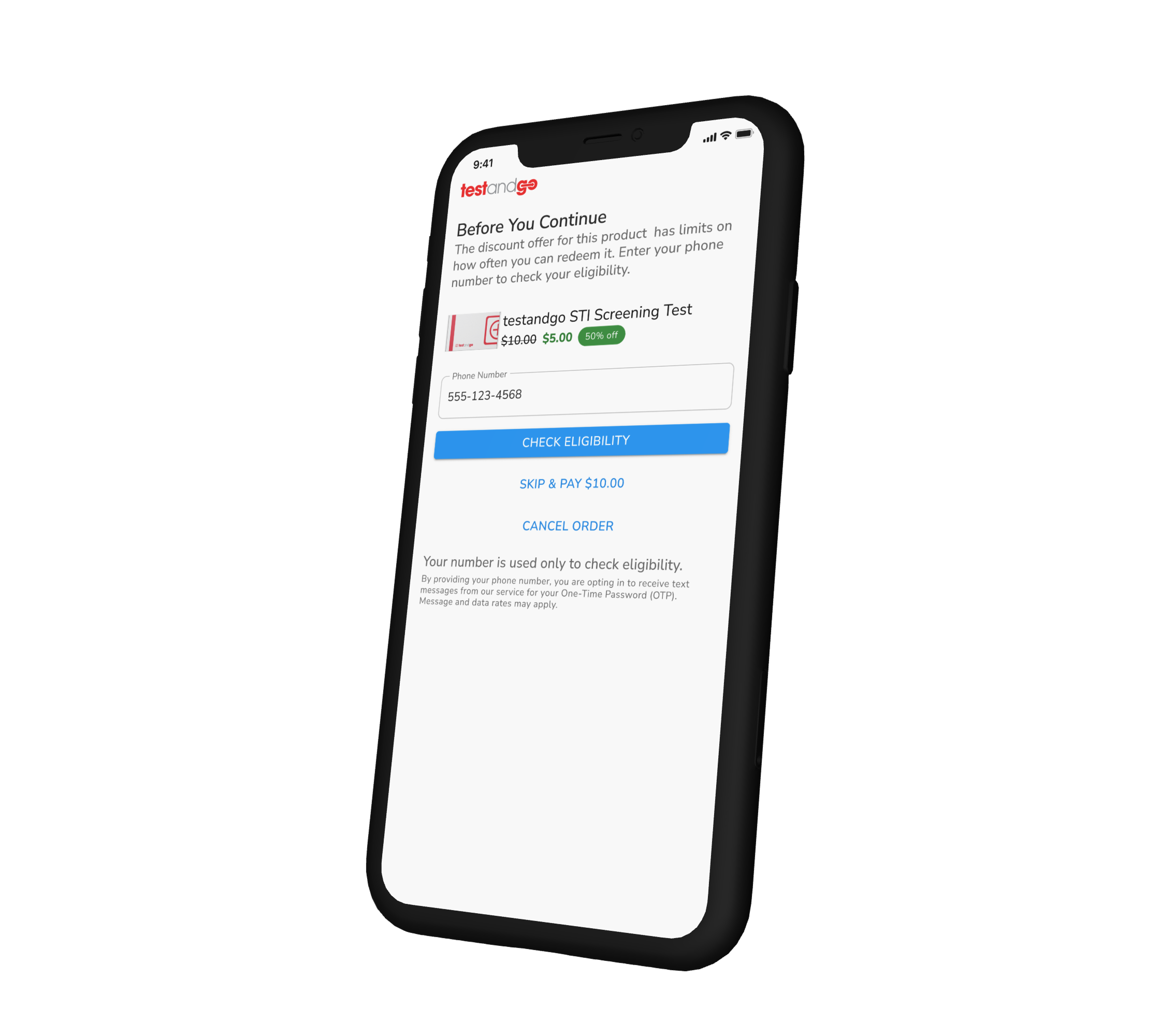
The second iteration consolidated phone number entry into the initial screen, eliminating a full step. The framing shifted from interrogating eligibility to informing the user before they proceed. The product was explicitly labeled FREE rather than displaying a price. Post-verification states were fully designed: a redemption counter for eligible users, a limit-reached state with a return date, and explicit terminal states for cancelled or expired sessions.
Outcome
Self-service enforcement, no staff required
The flow gave institutional clients a configurable, self-service enforcement mechanism for product limits without requiring staff involvement. It leveraged infrastructure already in the product -- phone number and SMS -- kept the kiosk experience fast, and moved the authentication burden to the user's own device where input is natural and private.